 Phospho
Native Mac menubar app · Works with Philips Hue
Real-time screen colour for your Philips Hue lights
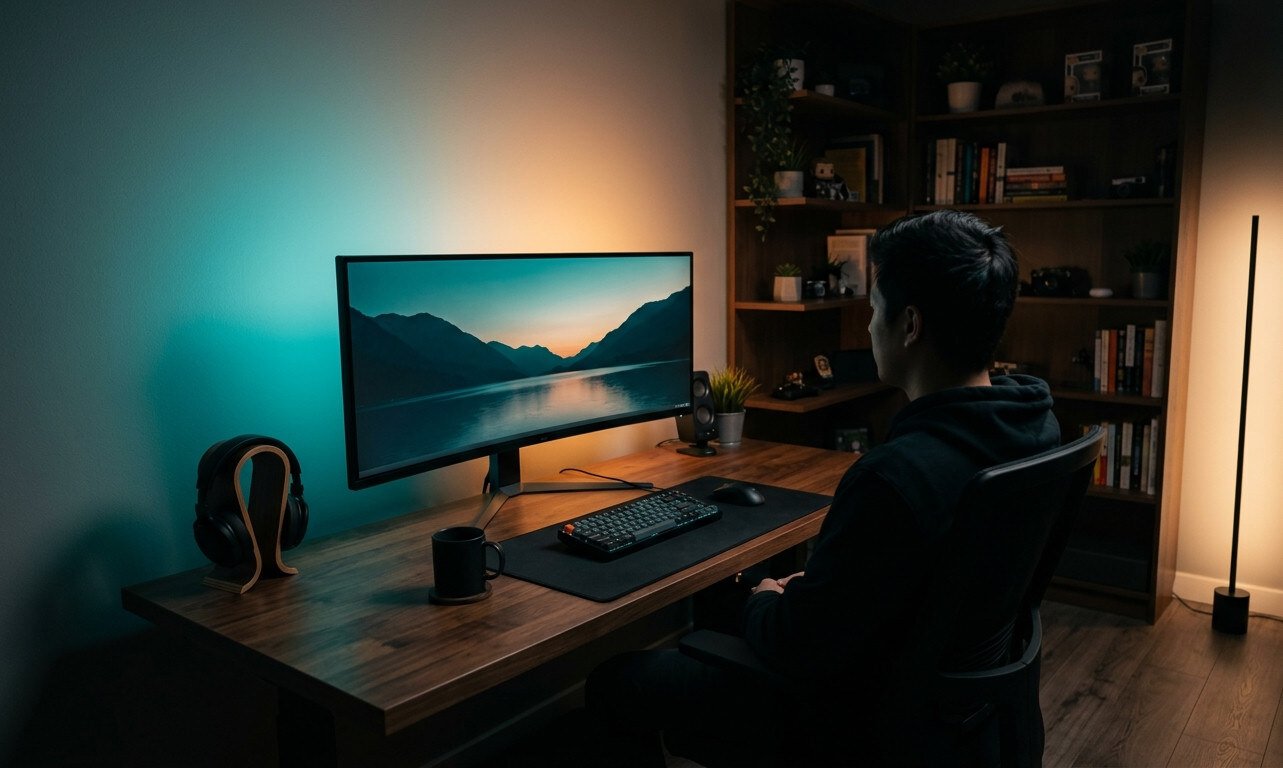
Phospho streams the colours of whatever is on your Mac's screen, through your Philips Hue Bridge, to your Hue Entertainment lights, the picture spills off the display and into the room.
Native on Apple Silicon. Screen content never leaves your Mac. Free for 14 days, then one purchase, once. No subscription.
Set up in about a minute
Pair your bridge
Phospho finds your Hue bridge over your local network, discovery never touches the internet. Press the link button on the bridge to authorise; no Hue account needed.
Pick your entertainment area and display
Pick the entertainment area and the display to sample. Each light's position in the area maps to the matching region of your screen. No entertainment area yet? You create one once, in the Philips Hue app.
Start streaming
Click Start in the menubar, your screen's colours stream to your lights in real time. Click Stop and Phospho hands the room back: your lights return to what they were doing before.
Built to stay out of your way
Three lighting modes
Calm keeps the room soft and steady. Colorful chases the picture's most vivid hues. Dynamic follows every move. Pick the mood from the menubar, one click, nothing to tune.
A desk light between sessions
Not streaming? Park your lights on a warm-to-cold white or a saved colour preset, straight from the menubar. The same lamps that follow your films light your desk the rest of the day.
Automatic room restore on stop
When you stop streaming, Phospho restores your lights to the state they were in before it took over, colour, brightness, and all. No manual reset needed.
Private by design
Screen content is processed in memory and never leaves your Mac , no account with us, no cloud, no tracking. The whole pipeline runs between your Mac and your Hue bridge on your local network; updates arrive through the Mac App Store.
Native on Apple Silicon
Built in Swift 6 with strict concurrency. Uses ScreenCaptureKit for capture and Network.framework for DTLS-PSK streaming directly to the Hue bridge.
14 days free, then one payment
Every feature, free for 14 days, and starting it costs nothing. The clock starts when you press Start 14-day Trial in the app, not at install. Keep it with a one-time unlock on the Mac App Store, no subscription, and it works on every Mac signed in to your Apple ID.
Honest about what it doesn't do
DRM-protected content goes dark
DRM-protected content, Netflix, Disney+, and other services that honour HDCP in their apps or browsers, returns black frames to screen capture, so the lights go dark accordingly. This is a system-level constraint we cannot work around inside the app.
Requires a Hue Bridge and Entertainment-capable lights
Phospho uses the Hue Entertainment API, which needs both a Philips Hue Bridge and lights that support entertainment streaming, such as the Hue Play Gradient Lightstrip, Hue Play light bars, or a Lightstrip Plus, configured together in an entertainment area. Standard Hue bulbs in a non-entertainment area are not supported.
macOS 14 (Sonoma) or later, Apple Silicon
Phospho requires macOS Sonoma or later and runs natively on Apple Silicon. Intel Macs are not supported.
⚠️ Photosensitivity
Some light patterns, fast colour changes, intense flashing, can trigger discomfort or, rarely, seizures in people with photosensitivity. If you feel unwell while using Phospho, stop immediately.
What you need
Needs a Philips Hue Bridge and Entertainment-capable Hue lights, such as a Hue Play Gradient Lightstrip.
- ✓ A Philips Hue Bridge (the square v2) on the same network as this Mac.
- ✓ Entertainment-capable Hue lights, such as a Hue Play Gradient Lightstrip, Hue Play light bars, or colour bulbs. Hue White and Hue White Ambiance bulbs can't stream.
- ✓ An Entertainment area containing those lights, created in the Philips Hue app.
Pricing
On the Mac App Store · the price is shown in your local currency and set per country, so the figure you see in the store is the one you pay
- ✓ 14-day full-featured free trial, no card required
- ✓ One-time price, no subscription
- ✓ Works on every Mac signed in to your Apple ID
- ✓ All v1.x updates included, via the App Store
- ✓ Unlocks automatically, no key to enter
- ✓ Buy once, restore on your other Macs
Needs a Philips Hue Bridge and Entertainment-capable Hue lights, such as a Hue Play Gradient Lightstrip.
Get Phospho →